How to Withdraw From H555 Game
H555 Game sends withdrawals to JazzCash, EasyPaisa or a linked bank account, with a minimum withdrawal around Rs. 100. Most withdrawals are processed within minutes to a few hours. This guide covers the steps for each method, the rules that affect processing speed, and what to do if a withdrawal is stuck.
Withdrawal Steps
The flow is broadly the same across methods - pick yours below for the exact walkthrough.
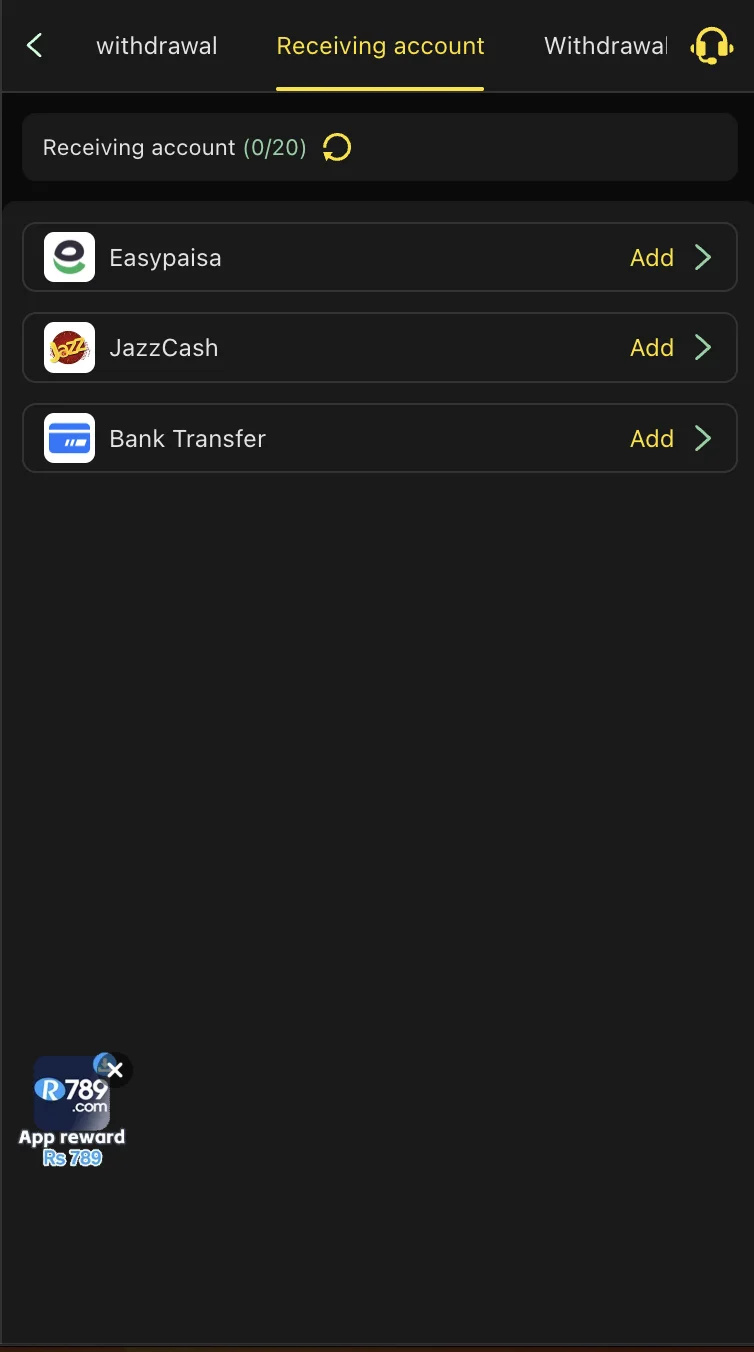
Open the Withdraw section
Log in to H555 and go to "Withdraw" from your wallet or account menu.
Confirm your JazzCash account
Your withdrawal goes to the JazzCash account already on file - usually the one you deposited from.
Enter the withdrawal amount
Check that it meets the minimum (around Rs. 100) and doesn't exceed your current limit.
Review and submit
Double-check the amount and account before confirming - this is your last chance to catch a typo.
Wait for processing
Most JazzCash withdrawals complete within minutes to a few hours.
Check JazzCash
You'll typically get an SMS or in-app notification from JazzCash once the funds land.
Open the Withdraw section
Go to "Withdraw" from your wallet or account menu.
Confirm your EasyPaisa account
Funds go to the EasyPaisa account on file for your profile.
Enter the withdrawal amount
Check the minimum and your current limit before submitting.
Review and submit
Confirm the amount and account details are correct.
Wait for processing
Typically minutes to a few hours, similar to JazzCash.
Check EasyPaisa
Look for the success notification from EasyPaisa directly.
Open the Withdraw section
Select Bank Transfer as your withdrawal method.
Confirm your bank details
These should match the account you used to deposit, with your name matching your H555 account.
Enter the withdrawal amount
Check the minimum and your current limit.
Submit the request
Bank withdrawals generally take longer than mobile wallets to process.
Wait for bank processing
This can run from a few hours to a business day depending on your bank and the time you submitted.
Check your bank account
Confirm the deposit through your bank's app, SMS alert, or statement.
Why Withdrawals Get Delayed
Unmet bonus wagering requirements: bonuses have a wagering multiple attached - if you haven't played through it yet, the withdrawal can be held until you do, or the bonus balance excluded from the withdrawal.
Mismatched account details: the name on your payment account doesn't match your H555 account name, which triggers a manual review.
Verification checks on larger withdrawals: bigger payouts or a first-time withdrawal to a new account commonly trigger an extra manual check before release.
VIP Tiers and Withdrawal Limits
Regular players who deposit and play consistently over time move up VIP tiers, which typically unlock higher withdrawal limits alongside other perks like dedicated support and bigger seasonal rewards. Tiers are usually based on cumulative activity rather than a single large deposit.
Troubleshooting a Stuck Withdrawal
Withdrawal stuck on "pending" past the usual window: contact support with your reference number rather than submitting a duplicate request, which can complicate the review.
Withdrawal rejected outright: check the rejection reason in-app first - it's usually a name mismatch or an unmet wagering requirement, both of which are fixable.
Withdrew the wrong amount by mistake: contact support immediately; if it hasn't processed yet, it may be possible to cancel or adjust it.
Changed payment account after requesting a withdrawal: the request typically still goes to the account on file at the time of submission - update your account details before your next request, not mid-request.
Payout Submitted
Your withdrawal request is on its way. Keep an eye on your payment app, and remember to play within a budget you've set in advance.